Straight from the device
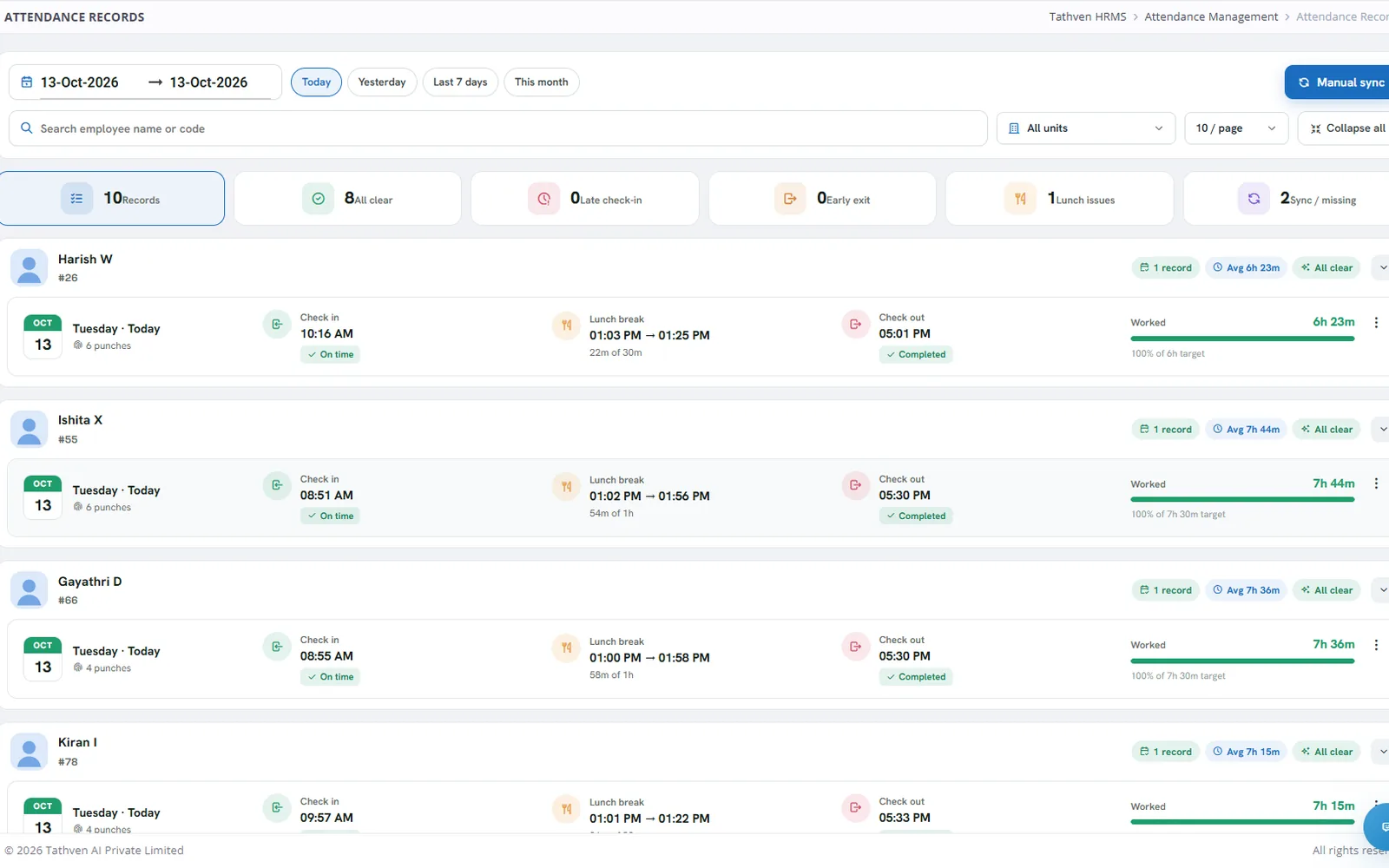
Punches arrive from your biometric devices and land on the right shift, with late, early and lunch markers.

From the first punch of the morning to the salary in the bank. Attendance flows in from your ZKTeco and eSSL biometric devices, and from the phone with Mobile Punch. Leave follows your policy. Every request rises through your approval chain, and a single pay run takes care of PF, ESI, professional tax, LWF and TDS.
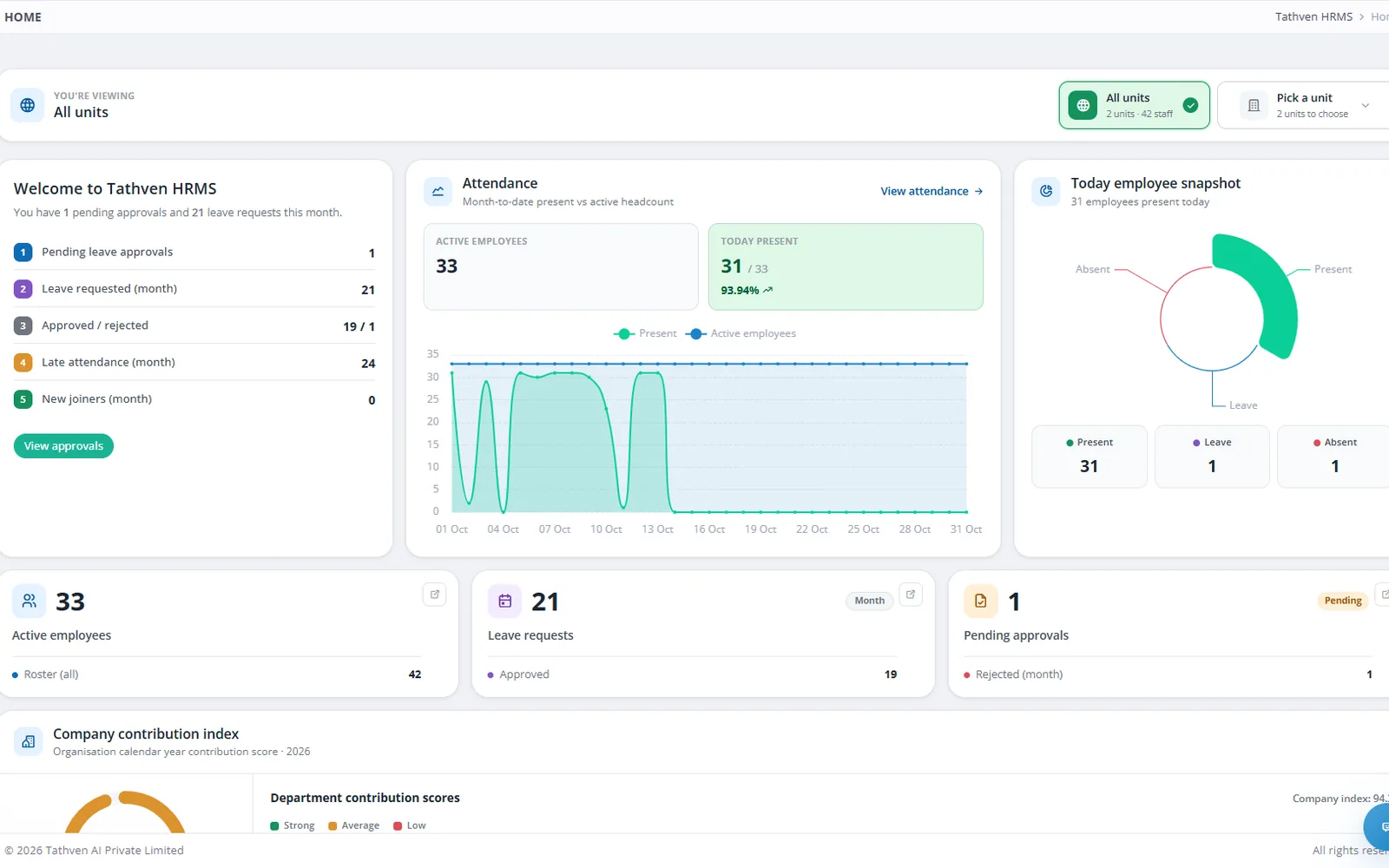
From the first punch of the morning to the salary in the bank, in three minutes.
Plays from YouTube. Watch on YouTube
Attendance flows in from your ZKTeco and eSSL biometric devices, with your shifts, grace periods and late rules applied for you.
Punches arrive from your biometric devices and land on the right shift, with late, early and lunch markers.
The employee raises a regularization with a reason. Once it’s approved, the day is corrected and the original punch stays on record.
Overtime is measured against the shift and approved before a rupee is paid.
An employee-wise summary of present, leave, late and loss-of-pay days, ready for payroll.
Where there’s no device, the Tathven HRMS app takes over. A swipe, a selfie if you ask for one, and a geo-fence around the office.
Employees punch in and out from the Tathven HRMS app on Android or iPhone. The time is the server’s, never the phone’s.
Off, Anywhere, Geo-tag or Geo-fence, set for the organisation, a unit or one employee.
Mark each work location on a map with a radius. Inside the fence, the punch counts at once.
A punch from outside the fence needs a reason and goes to the manager, in the app, on the web or by email.
A live selfie at punch-in, the address and the distance from the office. Punches from fake GPS can be refused.
Mobile punches join biometric punches in one attendance, so late marks, permission, LOP and payroll work unchanged.
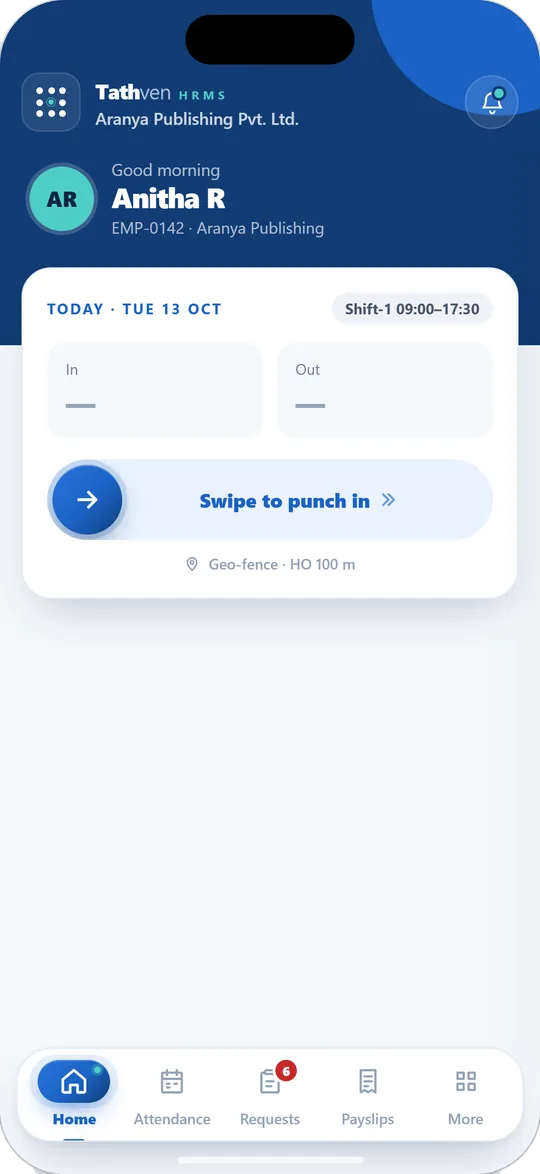
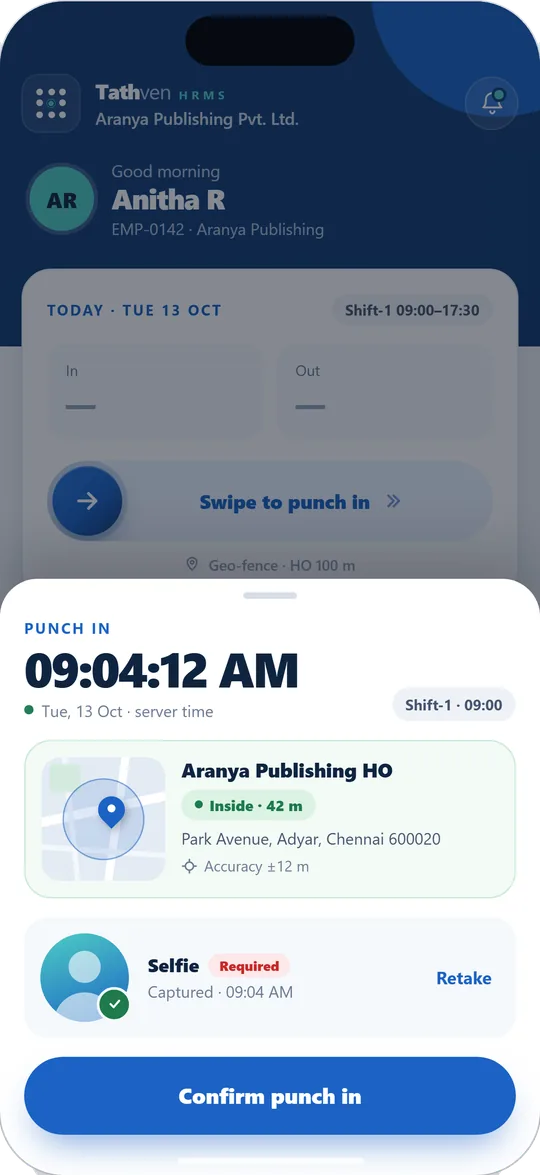
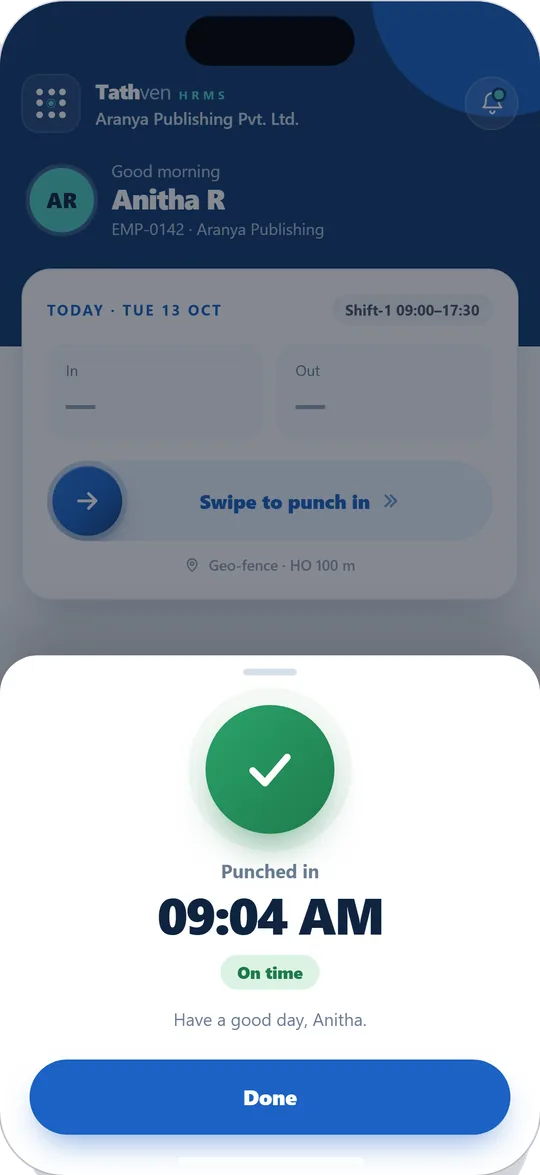
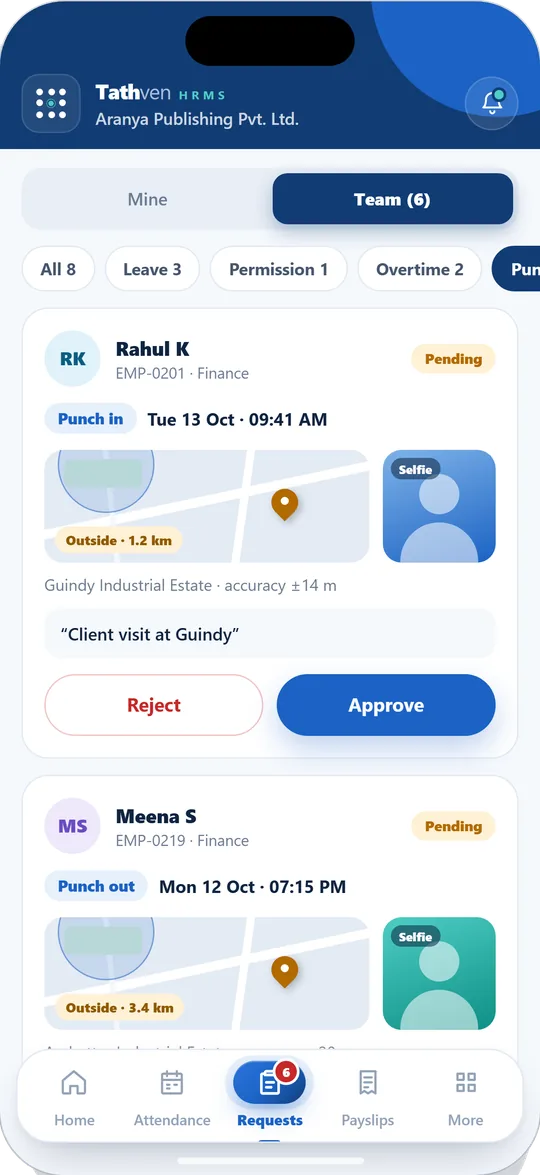
Location is read only at the moment of punching; Tathven HRMS never tracks anyone in the background. A punch needs an internet connection.
On iPhone and Android. Employees sign in with the account their organisation gives them.


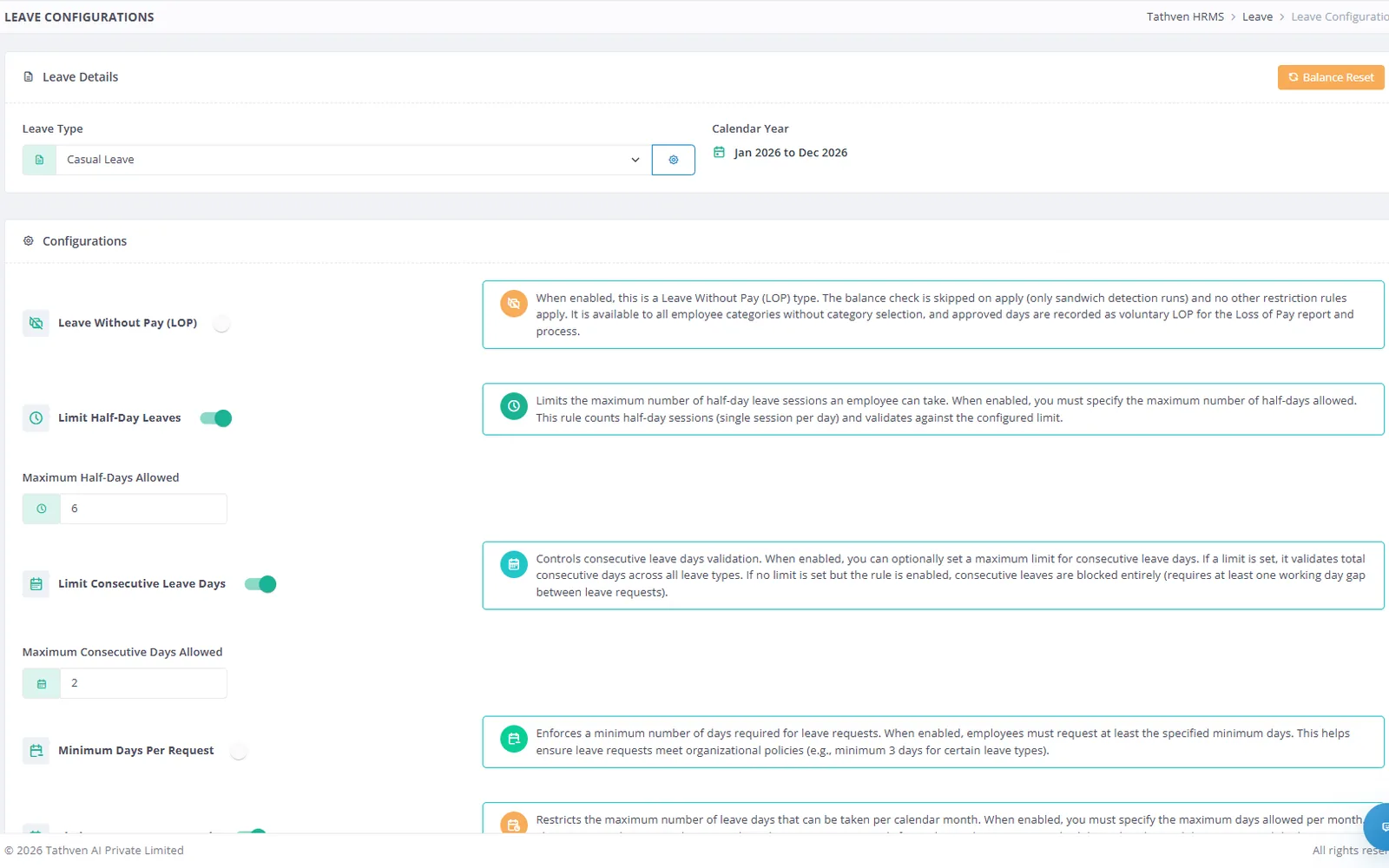
Switch each rule on or off, without code. Short permissions are tracked to the minute.
Monthly limits, the sandwich rule, mandatory certificates and half days, each a switch.
Short permissions are counted against a monthly allowance, minute by minute.
Employees read the leave and permission policy in English or Hindi.
Opening balances are set once, and leave expiry runs as a process, not a spreadsheet.
Tathven HRMS reads the punches on weekly offs and holidays, raises the comp-off, and sends it for approval. Taken as leave, paid out as money, or settled at exit, every day is on the record.
Work on a weekly off or a holiday is found from the attendance and raised for you. Employees can also claim a day themselves, and HR can raise one for them.
Half a day from 4 hours and a full day from 8 hours by default, with a break deducted if you choose. A holiday can earn one, two or three days.
Manager only, manager then HR, HR only, or credited at once. An approver can cut a full day to a half day, never raise it. Everyone is told by e-mail.
Everyone, or by category, unit, designation, department or named employees. Set the validity, a maximum balance and year-end carry forward.
Applied for as Compensatory Off, a full day or either half. The credit that expires soonest is used first, and a cancelled leave gives the day back.
Encash a balance through payroll, at a day rate from the components you choose, on request, on expiry or at exit.
For each policy, a day earns comp-off or overtime, or the employee chooses. Never both.
Each credit, use, payout, expiry and adjustment is recorded, and HR sees earned, used, paid and expired for every employee.
Leave, permission, overtime and regularization rise through your reporting chain, as many levels as you choose.
Set the reporting hierarchy once; each request finds its approvers.
Approve in the web app or on the phone. Leave, permission and regularization requests can also be approved straight from the email.
Managers see the employee’s balance and history before they decide.
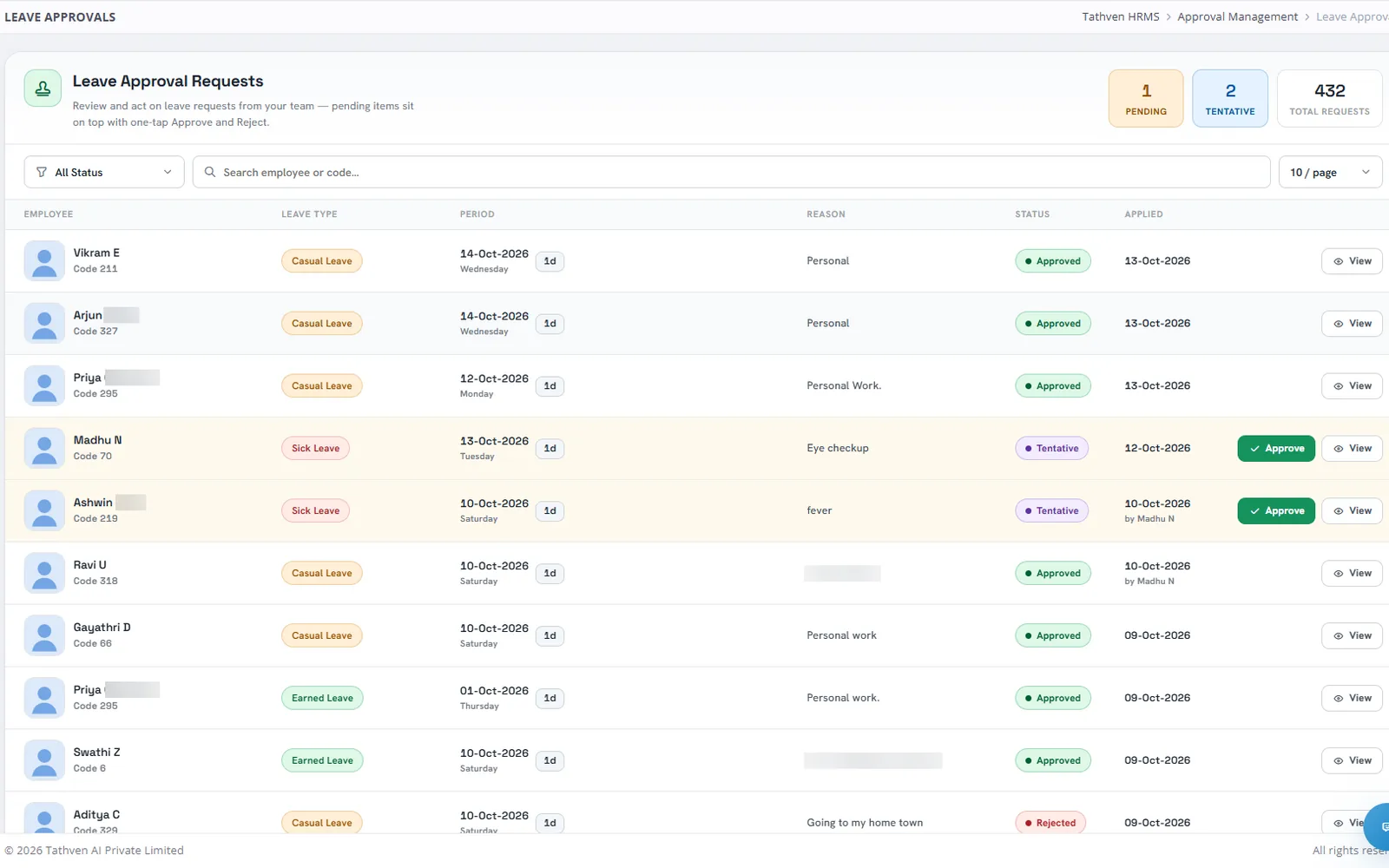
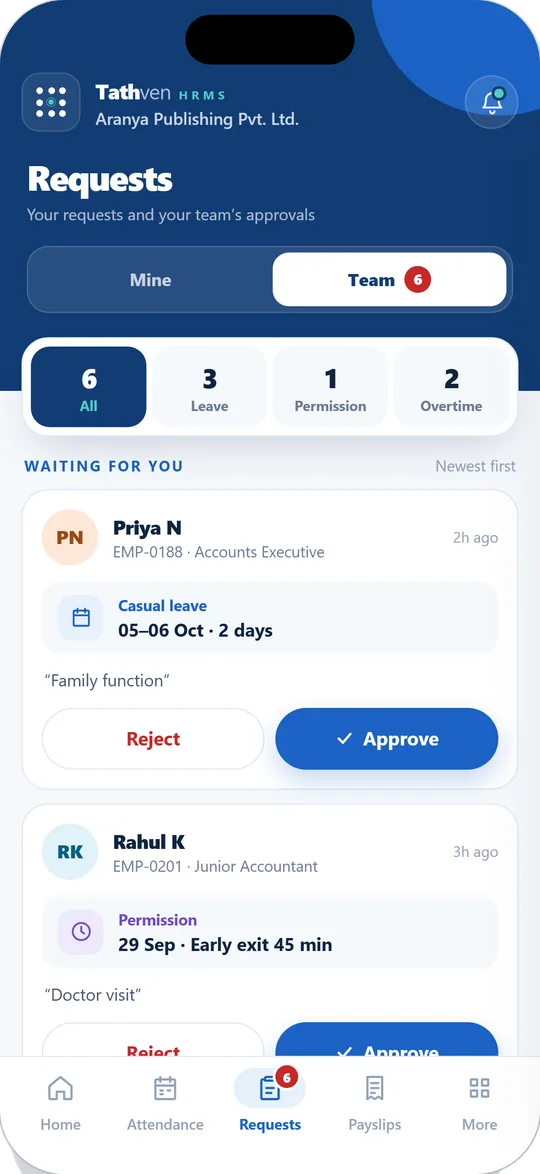
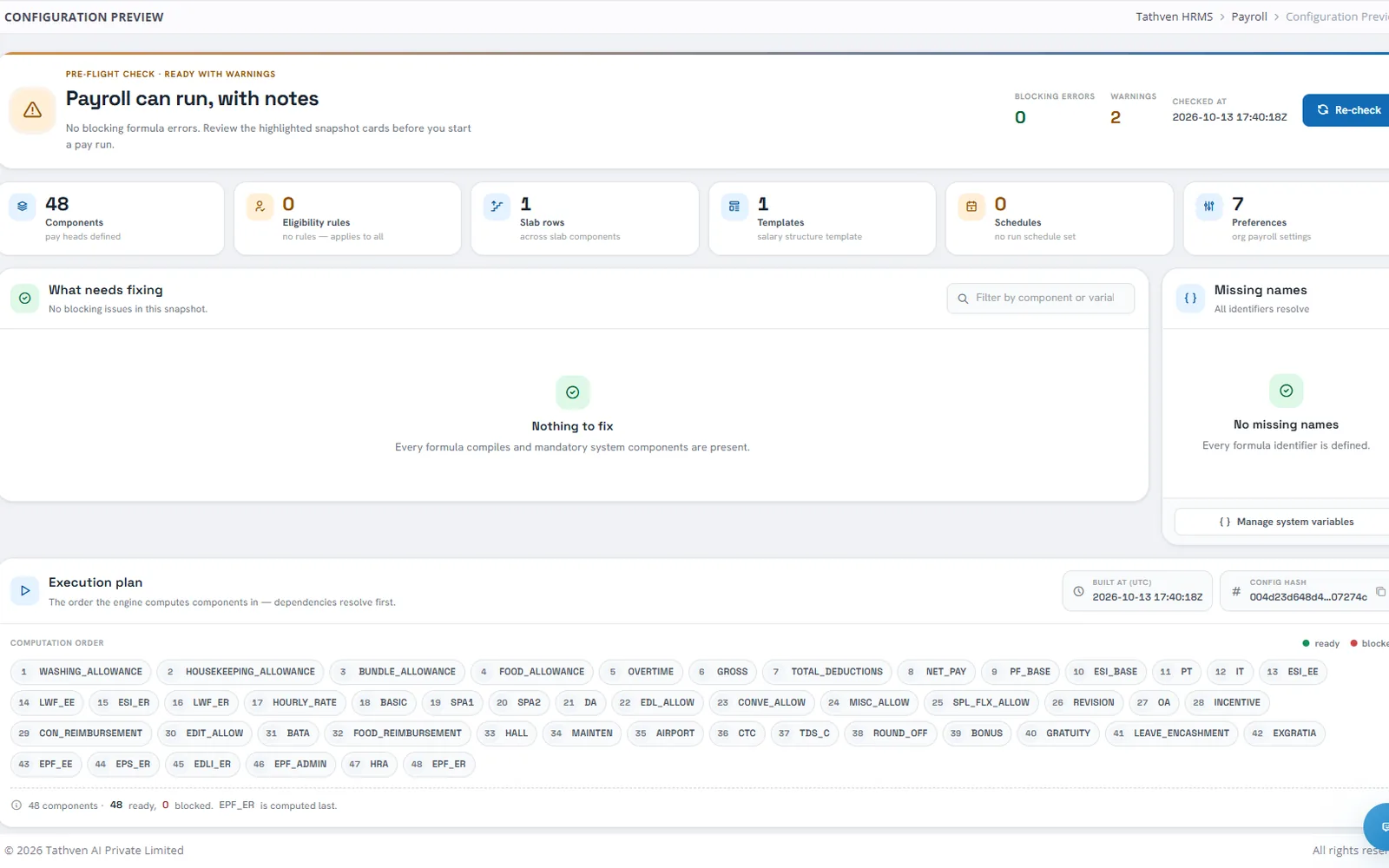
Attendance is locked at month end and loss of pay is worked out for you. Then a single pay run does the rest.
A pre-flight check lists what needs fixing before the run, not after.
PF, ESI, professional tax, LWF and TDS are calculated in every run. Bonus, gratuity and leave-encashment rules are set up per organisation.
Define any pay component with a formula, validated as you write it, with every version kept.
Decide which components appear on the payslip.
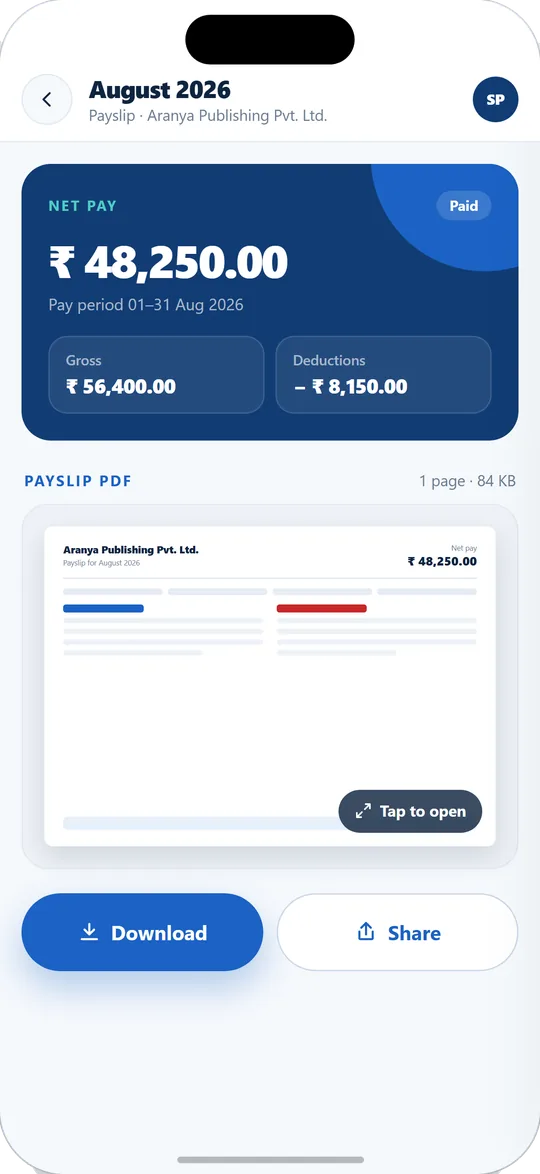
Print payslips, download them as PDFs one at a time or together in one file, or email every employee their own, with a count of sent and failed deliveries.
Salary register, the bank transfer file in your bank’s format, the ESI contribution file and the PF ECR.
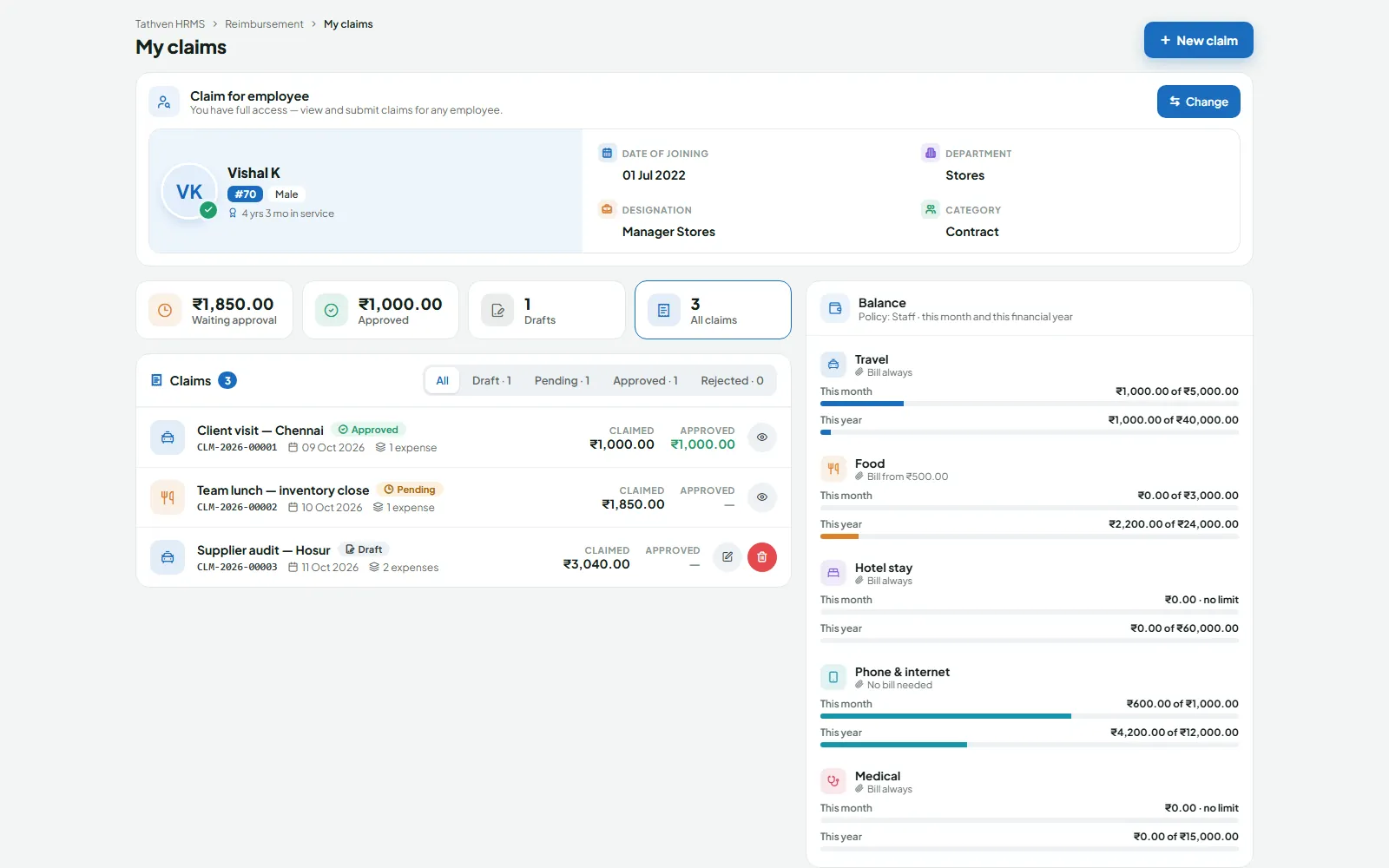
Employees claim travel, food and other expenses with their bills attached. Your policy checks the limits, the right people approve, and the money goes out with salary or in its own bank file.
Claim what was actually spent, or a fixed monthly amount paid against bills. Choose when a bill must be attached (always, never or above an amount) and how many days staff have to claim.
Set limits per claim, per month and per financial year, and how many claims a month, for each claim type. Policies apply to everyone, or by employee category, unit, designation, department or named employees. Employees see what they have used and what is left, this month and this year, before they claim.
Each claim goes to the reporting manager, named approvers or the reimbursement admins, stage by stage, and small claims can skip a stage. Approvers approve, reject or send back with a remark and, where the stage allows it, approve less than claimed.
Approvers get an email when a claim reaches them. The employee hears when it is approved, partly approved, rejected or sent back, and again when it is paid, with the date and bank reference.
Each month, approved claims up to the cut-off day are shown ready to pay. Batch them into their own bank file, or add them to that month’s salary bank file. The payslip stays the same.
Tag each expense to a project and cost centre. Six reports, each exported to Excel: claim register, employee summary, claim type by month, project and cost centre, outstanding, and payments.
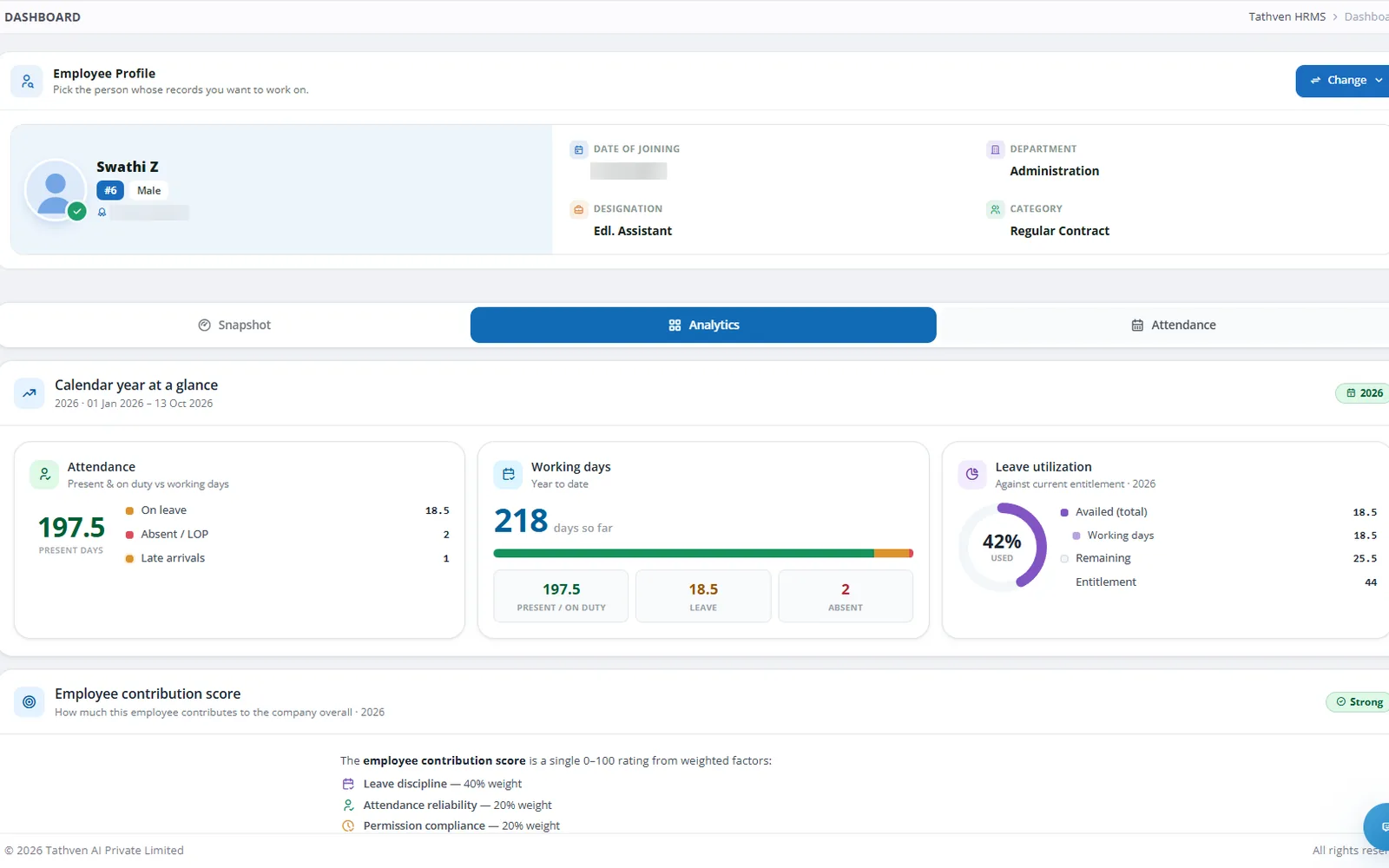
One dashboard for who is present, on leave or late, and one complete record for every employee.
Present, on leave, late and pending approvals, across every unit.
Personal and statutory details, bank, nominees and documents in one place.
A transparent score for punctuality and discipline, for every employee.
Mark the categories that need probation and set the period in months. Every extension is kept, with the original end date, so the history is never lost.
One list of probations that are overdue or end in the next 30 or 90 days. Confirm, extend with a reason, or start the exit, from the same row.
Confirmation can move the employee to the Regular category from that date, and leave balances follow the new category. Each step goes into job history and the audit trail.
Move one or many employees to a new unit, department or manager from a date. Change a category or designation, and see the leave impact before you save.
Write your standard operating procedures once and send them for review. Tathven HRMS puts the approved version in front of the right people, trains them, and keeps the evidence for your next audit.
Every SOP has a category, an owner and a version history, from draft to review, approval, effective date and withdrawal. Upload PDF or Word, kept in HRMS or in Tathven AI Workspaces.
One or more reviewers, then an approver; the author can’t approve their own SOP. Reviewers can pass, approve or return a draft straight from the email.
Employees open the exact approved copy, then accept a declaration in English or Hindi. Each acknowledgement is stored with the time, the version and the document’s fingerprint.
Mark a new version major and everyone it applies to acknowledges it again. A minor change carries completed training forward.
Assign an SOP or a course to everyone, or by unit, department, designation, category or person, with a due date. New joiners get their induction, and transfers and promotions pick up what the new role needs.
Self-paced, classroom, on-the-job and external courses, grouped into learning paths. Hold a class with a trainer, a venue and a capacity, mark attendance, and the day goes into attendance as on duty.
For critical SOPs and assessed courses: multiple choice, your pass mark, a limit on attempts and shuffled questions.
The supervisor confirms the class from an email link. Completed courses earn a numbered certificate, and external certificates are checked by HR, with their expiry date.
Reminders before and on the due date, escalation to the manager and HR when training is overdue, renewal when it expires, and a review prompt when an SOP is due for its periodic review.
Compliance by unit and department, a training matrix, overdue, expiring, session and SOP trail reports, and one evidence workbook for any period, all in Excel.
SOP and training is an add-on licence. Quizzes are single-answer multiple choice. On the web only; not in the mobile app yet.
Pick ready-made templates for your industry, decide who gets which, and run the year’s cycle from goals to ratings to the increment, all in Tathven HRMS.
151 ready-made templates in 20 industry packs, from publishing and printing to schools, hospitals, manufacturing and IT. Add the ones you need, then adjust KRAs, weights and competencies.
Each competency says what every rating from 1 to 5 looks like, so managers rate the same way. Start from the Starter set or write your own, and group them.
Rules give templates by department, designation, category or unit, or to one named person. Every employee is listed with the template they get and why.
Before a cycle starts, a pre-check shows anyone without a template, manager or reviewer. Fix many people at once, or set who appraises the top of the organisation.
Employees set and submit goals, the manager approves them, then self-appraisal, the manager’s rating and the reviewer’s review follow. A KRA can be rated, or scored from the actual against its target.
A Discipline and Attendance score comes from the attendance records for the period, beside KRAs and competencies, with each part’s weight set in the template.
HR compares the rating distribution with the intended curve, sees who is off the curve, changes a rating with a reason, and finalises.
An increment matrix by rating suggests each person’s raise. After approval, letters are made and the new salary is applied to payroll from its effective date, with arrears.
Variable pay can follow the rating. A performance improvement plan sets areas, check-ins and an outcome for anyone who needs one.
Appraisal reports export to Excel. Employees acknowledge their final rating, or record that they disagree.
Plays from YouTube. Watch on YouTube
Performance appraisal is an add-on licence. A template in use is versioned with an effective date, so a running cycle keeps the version it started with. Ratings changed by a reviewer or in calibration need a comment. The appraisal form, increment letters and improvement plans download as PDF; reports are Excel.
Once the ratings are in, the 9-box places each person by performance and potential, for talent reviews that never touch anyone’s pay.
Performance comes from the final rating, placed by two cut-off ratings set for each cycle: by default 4 or above is High and 2 or below is Low. Potential is Low, Medium or High.
The manager gives potential, with a reason, while rating the employee. The reviewer can change it during the review, and HR from calibration on.
The employee never sees their potential. It never changes the score, the rating, increments, variable pay or promotion.
HR can change the cut-off ratings while the cycle is open.
People not rated yet sit in an Unrated strip: a rating counts only once the reviewer is done, and a person without potential waits there too. Filter by department, unit, manager and box.
The At risk box, low performance and low potential, is where an improvement plan is offered. People with an open plan are flagged.
HR can rename the nine boxes in Appraisal Setup → Settings. The grid exports to Excel.
Managers see only the people they manage or review. HR sees the whole cycle.
Plays from YouTube. Watch on YouTube
The 9-box comes with performance appraisal; it needs no licence of its own.
Employees see today’s attendance, apply for leave, and share payslips. Managers approve their team from anywhere.
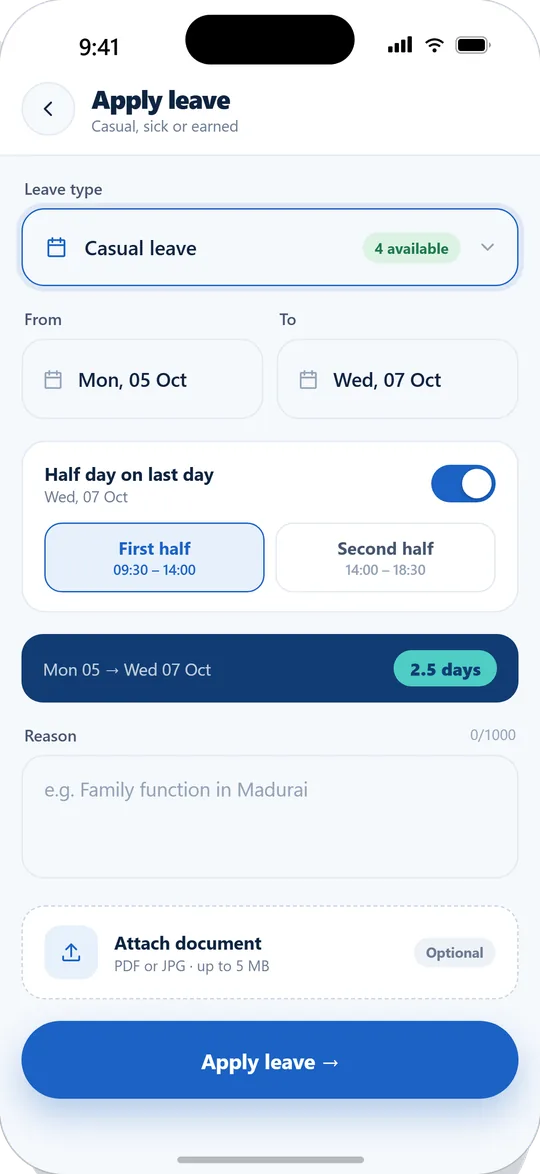
What is my leave balance? Who is on leave today? Answers come from your own live HR data, within the roles you set.
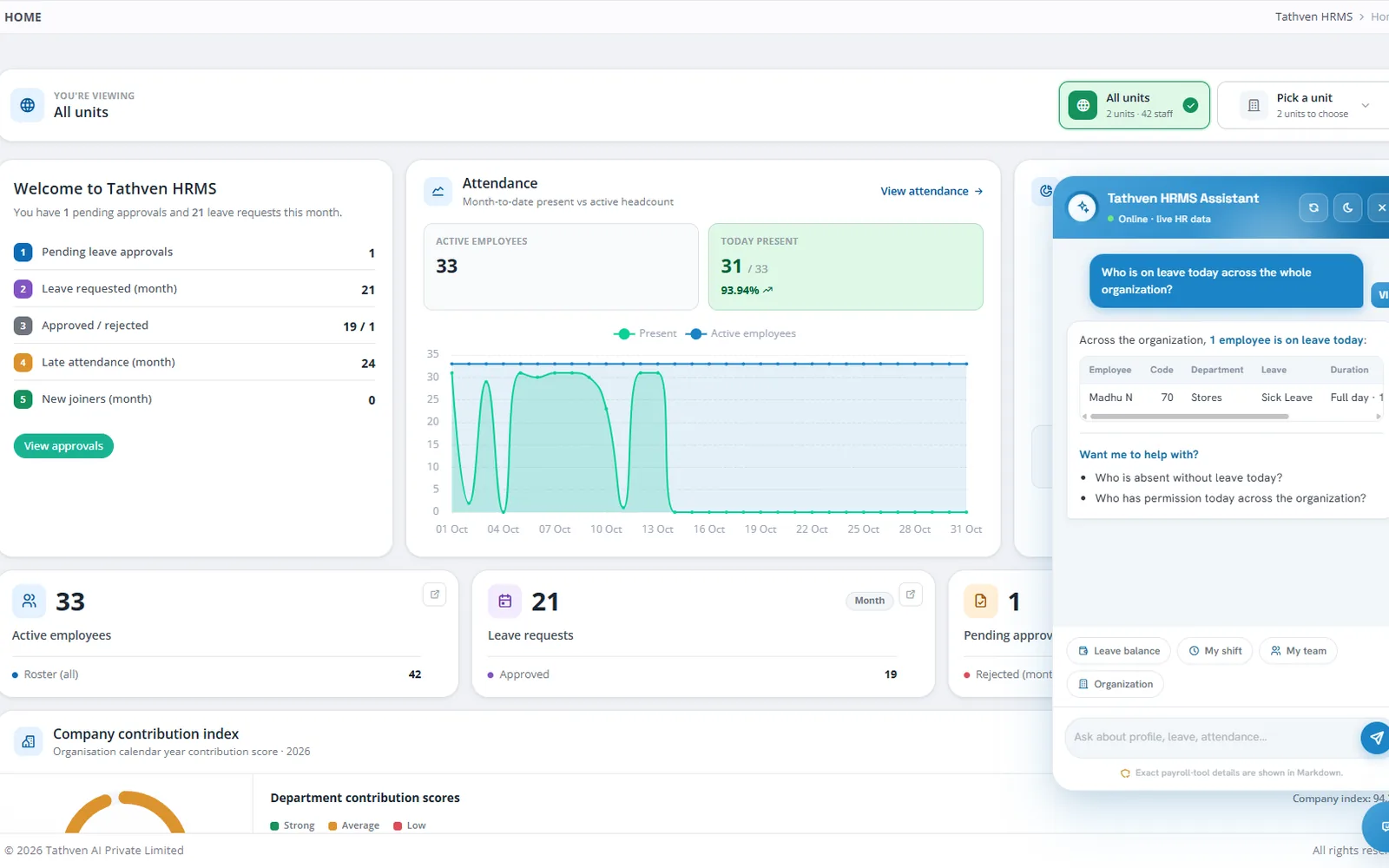
Role-based access decides who can view, change or approve each module: an employee sees their own records, a manager their team, HR everyone.
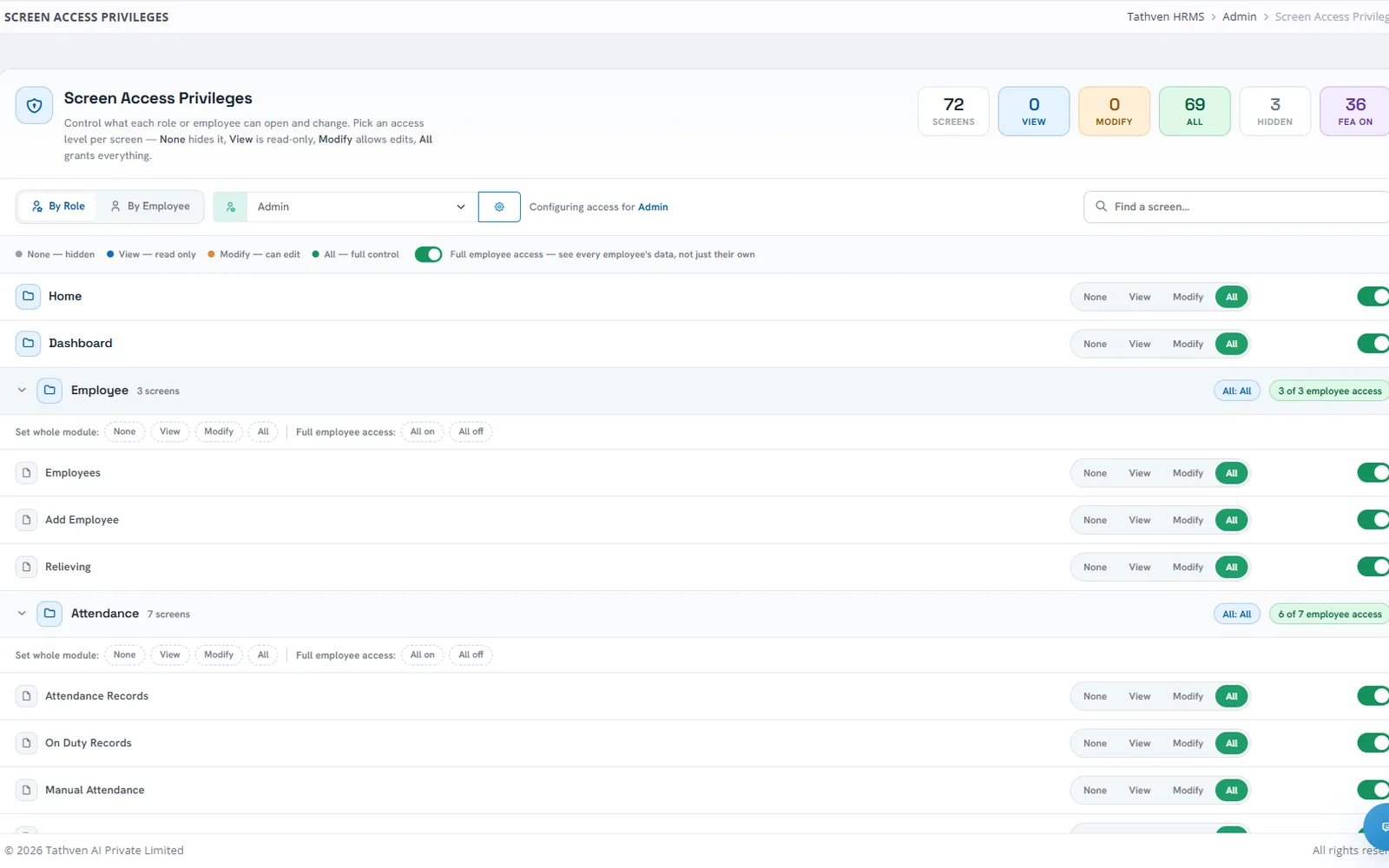
Employees, managers and the HR desk — each with their own dashboard, all on the same record.


Tell us what you run today. We will show Tathven HRMS working on a sample of your own data, then send a written scope and quotation — not a brochure.